Thank you for Your Order!
Your transaction has been completed. A receipt for your purchase has been emailed to you.
Watch This First!
Preparing for Installation
First: Add Exclusions to Your Firewall and AV Software
After you have installed the software, make sure you add the installation folder and the program as exclusions or exceptions by your firewall and AV software. Below are reference videos and instructions for the most commonly used software.

 Avast
Avast
Bitdefender
Norton
AVG
McAfee
Windows Defender
Next: Set to Run as Administrator
The installer will need to create the license file in the directory where it extracts the software. If this directory is not writable you will see a license error. If encountered, this issue is resolved by performing the following steps:
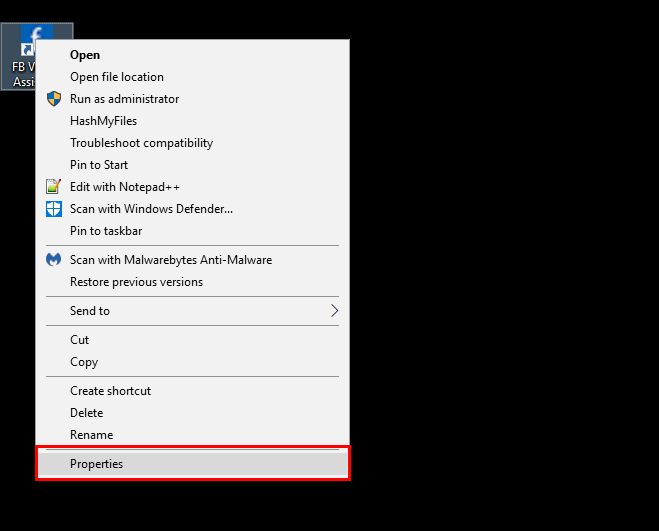
Step 1: Right click on the software desktop icon and click properties
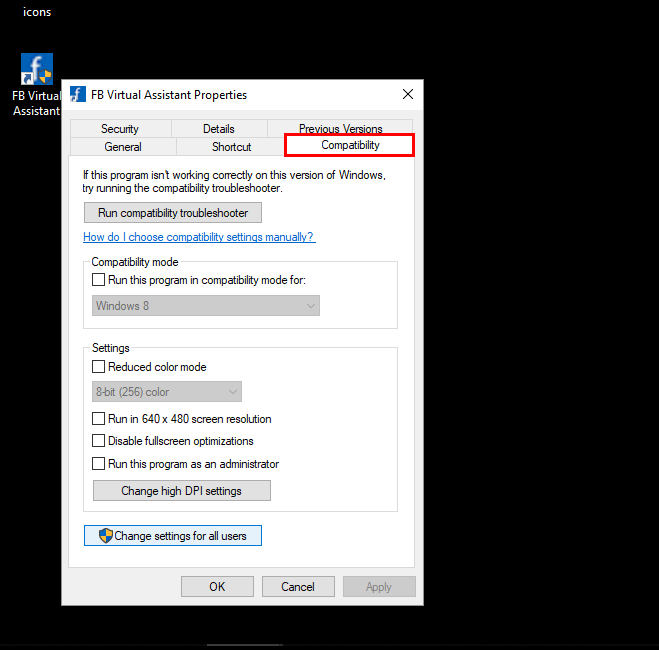
Step 2: Go to compatibility tab
Step 3: On compatibility tab make sure you check "Run as administrator" and hit OK
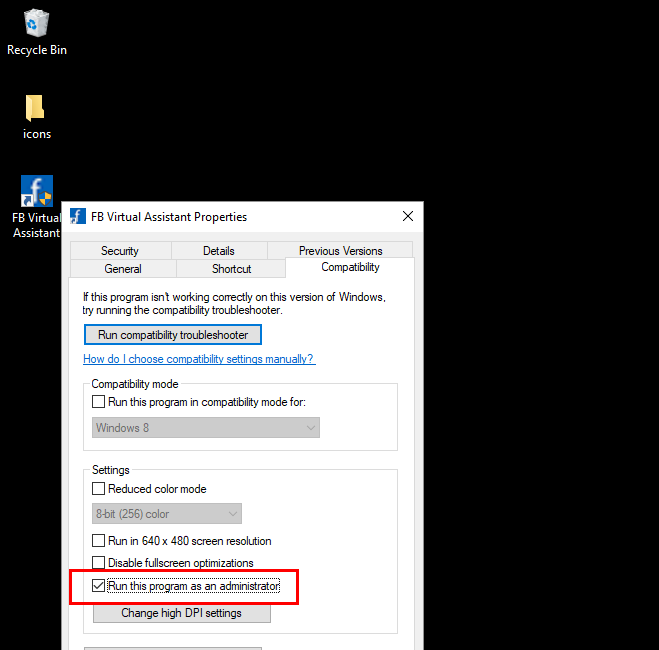
Step 4: After you click OK, click on the desktop icon again and you're good to go.
Your Download is Below.
Check Your Email For Your License Key
We have sent your license key to your email used to purchase. Hold on to that email, as you will need it to activate your copy of LinkedEngine.
Keep an eye on your email address over the next few weeks. I will be sending out many new great feature updates!
Thank you for your business,
-- Create Automate Sales Team